
Last updated: 27 November 2026
If you have ever tried to check your PF balance on the EPFO website, you know the drill. The portal is slow, the captcha fails twice, and by the time you log in you’ve forgotten why you came. So when EPFO launched an official EPFO WhatsApp number this month, I was genuinely happy. Finally, something simple.
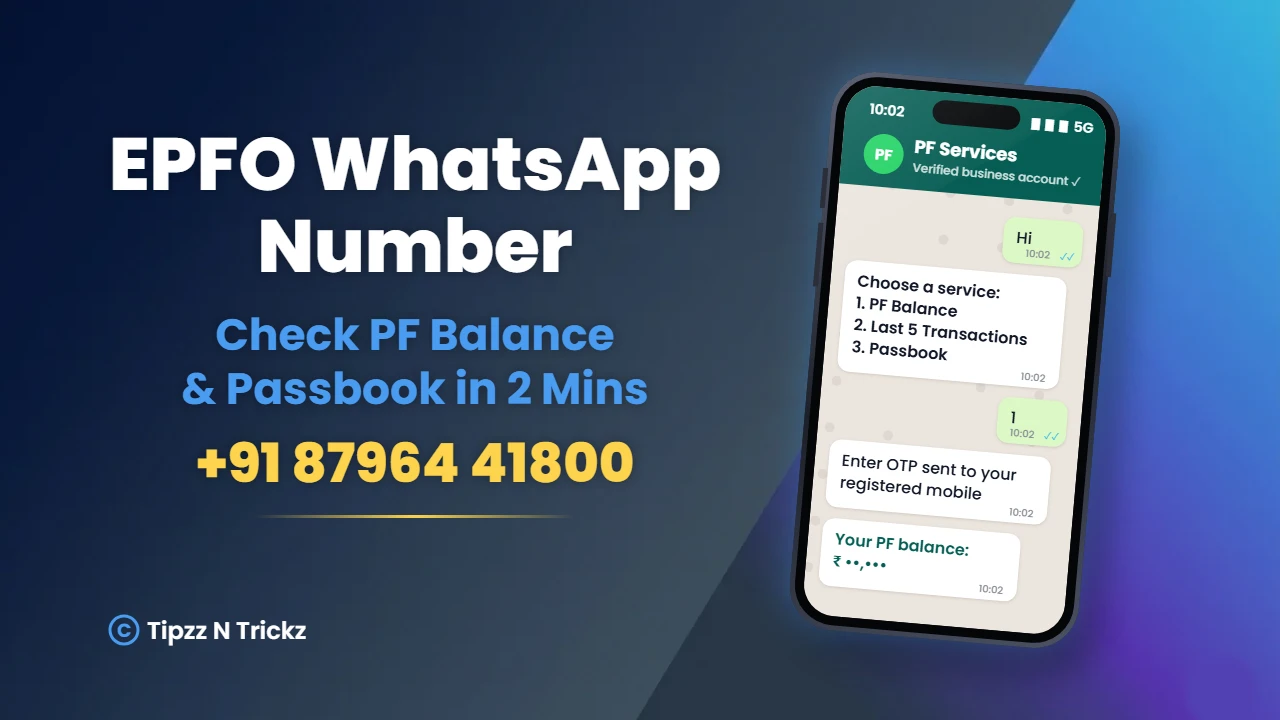
Since 1 November 2026, you can send “Hi” to the EPFO WhatsApp number and see your PF balance, your last five transactions and your passbook, right inside the chat. No password, no app download, no trip to the PF office.
Below is everything you need: the official EPFO WhatsApp number, the exact steps, what to do when it doesn’t work, and one important thing most articles skip — why the balance on WhatsApp sometimes doesn’t match your passbook.
EPFO WhatsApp Number at a Glance
| Official EPFO WhatsApp number | +91 87964 41800 |
| Message to send | Hi |
| Send it from | The mobile number linked to your UAN |
| What you can do | Check PF balance, see the last 5 transactions, view your passbook, get PMVBRY help |
| Charges | Free |
| Live since | 1 November 2026 |
What Exactly Did EPFO Launch?

Union Labour Minister Dr. Mansukh Mandaviya launched the service on EPFO’s 74th Foundation Day in New Delhi. It runs on a verified WhatsApp business account and handles the questions EPFO gets asked most often, like “how much is in my PF?” and “has my company deposited this month’s amount?”.
For the 8 crore+ members, that’s a big deal. Most of us don’t need the full portal. We just want a number and a quick look at the last few deposits. That’s exactly what the chatbot gives you.
Right now, the WhatsApp service covers four things:
- PF balance — your current EPF balance
- Last 5 transactions — the most recent credits to your account
- Passbook — a view of your EPF passbook that you can save
- PMVBRY help — guidance for the Pradhan Mantri Viksit Bharat Rozgar Yojana requirements
Before You Start: Keep These Ready
The whole thing takes two minutes, but only if these basics are in place. Otherwise you’ll get stuck at the OTP step and blame WhatsApp.
- Your UAN-linked mobile number. You must send the message from the same number that is registered with your UAN. Not your second SIM, not your wife’s phone.
- An activated UAN. If you have never logged in to the EPFO member portal, your UAN may not be active yet. Activate it once and you’re set.
- Mobile network for the OTP. The OTP comes by SMS, so keep your SIM in network range even if you’re on Wi-Fi.
Don’t know your UAN? It is printed on most salary slips. You can also ask your HR team, or use the “Know your UAN” option on the member portal.
How to Check PF Balance on WhatsApp: Step by Step
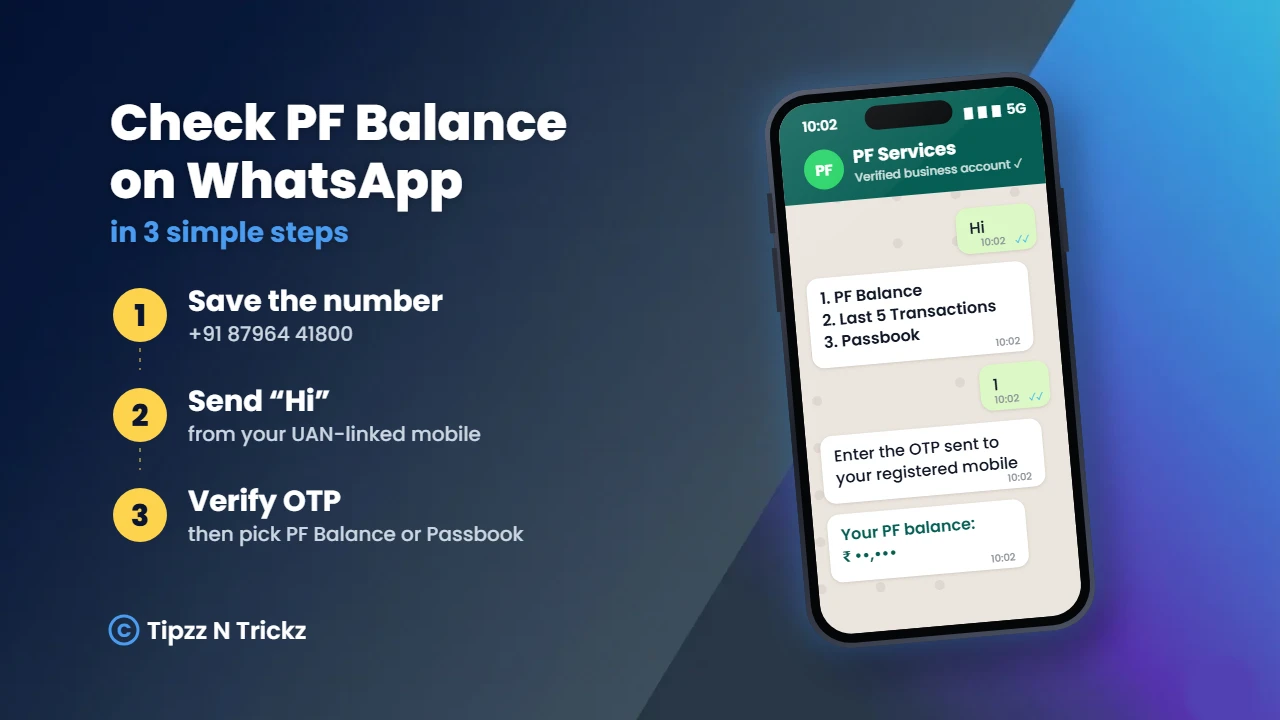
- Save the number. Add +91 87964 41800 to your contacts. I saved it as “EPFO” so it’s easy to find later.
- Open the chat and check it’s genuine. Open WhatsApp, start a chat with the new contact and make sure it shows as EPFO’s verified business account.
- Send “Hi”. The chatbot replies with a welcome message.
- Pick your language from the list it shows.
- Tap “PF Balance” (or the closest matching option) from the menu.
- Enter the OTP sent by SMS to your UAN-registered number.
- Choose your PF account if you have worked at more than one company and have multiple member IDs. Your balance shows up in the chat.
That’s it. The first time you use the EPFO WhatsApp number may take a couple of minutes because of the OTP. After that, it’s really quick.
Small heads-up: EPFO keeps improving the chatbot, so the exact button names may change a little. If you don’t see “PF Balance” word for word, pick the option closest to it.
Quick Tips to Get the Most Out of It
- Pin the chat. Long-press the EPFO chat and pin it so it’s always on top.
- Check once a month. A quick look after salary day tells you whether PF was deposited.
- Save the passbook before job changes. It helps if there’s ever a dispute about past deposits.
- Set it up for your parents. Save the EPFO WhatsApp number on their phone and show them once. It takes two minutes.
How to Get Your EPF Passbook on WhatsApp
The passbook works the same way. Send “Hi” to the EPFO WhatsApp number, choose the passbook option, verify with the OTP and select your PF account. The chatbot sends your passbook into the chat so you can open it or save it on your phone.
This is handy when a bank or a landlord asks for PF proof, or when you just want to see the full history without logging in to the portal.
How to See Your Last 5 PF Transactions
Honestly, this is the most useful option for salaried people. Choose “last 5 transactions” after verification and you’ll see the latest credits. It is the fastest way to confirm whether your company has actually deposited your PF for the last few months.
How to Read Your PF Entries (So the Numbers Make Sense)
Every month, 12% of your basic salary (plus DA) goes to PF from your side. Your employer also contributes 12%, but it is split in two:
- Employee share: your full 12% goes into your EPF account.
- Employer share (EPF): 3.67% goes into your EPF account.
- Employer share (EPS): 8.33% goes into the Employees’ Pension Scheme. For most people this is capped at ₹1,250 a month (8.33% of a ₹15,000 wage ceiling).
The pension (EPS) part is not part of your regular PF balance that you can withdraw like EPF. Keep this in mind, because it explains most “why is my balance different?” confusion.
EPFO WhatsApp Not Working? Try These 7 Fixes
New government services always have teething trouble, and this one is used by crores of people. If something goes wrong, go through this list before giving up.
1. You’re messaging from the wrong number
This is the most common mistake. The service only works from your UAN-registered mobile number. If you changed your number years ago and never updated it with EPFO, update it on the member portal first.
2. The OTP isn’t arriving
Wait two to three minutes. Check your normal SMS inbox (the OTP doesn’t come on WhatsApp). Make sure your SIM has network. Then request it again, once. Asking for five OTPs in a row usually makes things slower, not faster.
3. Your UAN isn’t activated
If you have never used the EPFO member portal, activate your UAN there. It takes a few minutes and you only do it once.
4. You saved the wrong number
Check the digits again: +91 87964 41800. Fake numbers pretending to be EPFO are already floating around in WhatsApp forwards, so always confirm you’re talking to the verified EPFO account.
5. The chatbot isn’t replying
The service is brand new and very popular. At busy hours, replies can be slow. Try again early in the morning or late at night.
6. Your WhatsApp is outdated
Old WhatsApp versions sometimes don’t show menu buttons properly. Update the app from the Play Store or App Store and try again.
7. The balance doesn’t match your passbook
This one isn’t really a fault. It deserves its own section, so read on.
EPFO WhatsApp Service vs EPFO WhatsApp Channel: Don’t Mix Them Up
This confuses a lot of people. EPFO also runs a WhatsApp channel where it posts general updates and announcements. A channel is one-way: you can read posts, but you can’t check your own account there.
The EPFO WhatsApp number (+91 87964 41800) is different. It’s a two-way chat with a bot that verifies you with an OTP and then shows your PF details. If you want your balance, you need the number, not the channel.
How to Activate Your UAN (If You Never Did)
If the chatbot can’t find you, an inactive UAN is often the reason. Activation is a one-time job:
- Go to the EPFO member portal and click Activate UAN.
- Enter your UAN (or member ID / Aadhaar), your name, date of birth and mobile number.
- Fill in the captcha and request the authorization PIN (OTP).
- Enter the OTP, agree to the terms and validate.
- You’ll get a password by SMS. Log in once and change it to something you’ll remember.
After this, wait a little and then message the EPFO WhatsApp number again from the same mobile.
How to Update the Mobile Number Linked to Your UAN
Changed your SIM since your first job? Then the WhatsApp chatbot can’t verify you until EPFO has your new number. Here’s how to update it:
- Log in to the EPFO member portal with your UAN and password.
- Go to Manage and then Contact Details.
- Tick the option to change your mobile number and enter the new number twice.
- Click Get Authorization PIN and enter the OTP sent to the new number.
- Save. Once it updates, message the EPFO WhatsApp number from your new mobile.
If you can’t log in because the old number is closed, ask your employer’s HR team for help. They can usually guide you through the update process.
Is the PF Balance on WhatsApp Accurate?
For a quick look, yes. For anything serious, double-check.
A few users have reported that the WhatsApp total didn’t exactly match their passbook. One said a pension amount seemed to be included in the total. Also, EPFO usually credits PF interest once a year, so a balance you see in the middle of the year may not include the latest interest.
My simple rule: use WhatsApp to check, use the official passbook to decide. Before applying for a withdrawal, an advance or a transfer, confirm the exact figures on the EPFO passbook portal or the UMANG app.
5 Ways to Check Your PF Balance in 2026 (Compared)
The EPFO WhatsApp number is the newest option, but it’s not the only one. Here’s how they stack up:
| Method | How to use it | Internet needed? | Best for |
|---|---|---|---|
| Send “Hi” to +91 87964 41800 | Yes | Quick balance and passbook in a chat | |
| Missed call | Give a missed call to 9966044425 from your UAN-registered number | No | Basic phones, no data |
| SMS | Send “EPFOHO UAN” to 7738299899 | No | Balance by SMS |
| UMANG app | Open the EPFO section in UMANG | Yes | Claims and full services |
| Passbook portal | Log in at passbook.epfindia.gov.in | Yes | Full passbook download |
If your parents use a basic phone, the missed call option is still the easiest for them. For everyone else, the EPFO WhatsApp number is now the quickest way to check PF balance on WhatsApp or anywhere else.
What If Your Employer Hasn’t Deposited PF?
Sometimes the “last 5 transactions” tells you something uncomfortable: a month or two is missing. Don’t panic. Here’s what to do, in order:
- Wait a few days. Companies often deposit PF after salary day, so a very recent month may simply not be updated yet.
- Talk to HR or payroll. Ask politely for the challan or confirmation of the deposit.
- Raise a complaint. If months keep going missing, file a grievance on EPFiGMS, EPFO’s official grievance portal.
When the EPFO WhatsApp Number Really Helps
Checking your balance for fun is fine, but here are the moments where this little chatbot actually saves you a headache.
You just got your first salary
Freshers often have no idea whether PF is even being deducted properly. Two or three months into your first job, message the EPFO WhatsApp number and look at the last five transactions. If your contributions are showing up, great. If nothing is there, talk to HR early, while it’s still a small problem.
You switched jobs recently
After a job change, people forget about the old PF account completely. A quick check shows whether your old company made its final deposit and whether your new employer has started contributing under the same UAN. If you see two member IDs, that’s your reminder to transfer the old balance so it doesn’t sit idle.
You’re applying for a loan or planning a big expense
Banks sometimes ask for proof of savings, and many people also think about a PF advance for a wedding, medical bills or a home down payment. Seeing your balance in a minute helps you plan. Just remember the rule from earlier: confirm the final numbers on the official passbook before you apply for anything.
Your company is going through a rough patch
Salary delays are often the first sign of trouble, and PF deposits sometimes stop quietly before anyone says anything. Checking the EPFO WhatsApp number once a month is the easiest early warning system you can have. If deposits stop, you’ll know in weeks, not years.
You’re helping your parents
Older family members who are still working often find the EPFO portal stressful. WhatsApp they already know. Save the number on their phone, walk them through it once, and they can check their PF on their own after that.
How to Stay Safe from Fake EPFO Numbers
Whenever the government launches something new, scammers follow within a week. Keep these rules in mind:
- Use only +91 87964 41800, as announced through EPFO’s official channels.
- EPFO will never call you asking for your OTP, bank details, UAN password or a “processing fee”.
- Type the OTP only inside the official chatbot. Never share it with someone on a call or chat, even if they say they’re from EPFO.
- Don’t click links sent by unknown numbers claiming to be EPFO.
- Report and block any suspicious “EPFO” account directly in WhatsApp.
Frequently Asked Questions
What is the official EPFO WhatsApp number?
The official EPFO WhatsApp number is +91 87964 41800. Send “Hi” from your UAN-registered mobile number to start.
Is the EPFO WhatsApp service free?
Yes. Using the EPFO WhatsApp number is completely free. You only use your regular mobile data.
Can I check PF balance on WhatsApp without my registered number?
No. The OTP goes to the mobile number linked to your UAN, so you have to message the EPFO WhatsApp number from that same phone.
Can I check my PF claim status on WhatsApp?
At launch, the EPFO WhatsApp number covers PF balance, the last 5 transactions, the passbook and PMVBRY help. For claim status, use the EPFO member portal or the UMANG app for now.
I have two PF accounts from different companies. Will both show?
If you have more than one member ID under the same UAN, the chatbot asks you to choose the account after OTP verification. Pick each one to see its balance.
Is my PF data safe on WhatsApp?
When you use the EPFO WhatsApp number, account details are shared only after OTP verification on your UAN-registered number. Just make sure you’re chatting with EPFO’s verified account and never share the OTP outside the chatbot.
Final Thoughts
I’ll be honest: I didn’t expect EPFO to make anything this simple. The EPFO WhatsApp number turns a 15-minute portal struggle into a two-minute chat. Save +91 87964 41800 today, check your balance once, and keep the passbook portal for the serious stuff like withdrawals.
If this helped you, share it in your family or office WhatsApp group. Most people still don’t know this exists, and your parents will thank you. For more simple guides like this, browse our How-To Guides, or see our tips to make your Android battery last longer.
Tipzz N Trickz is an independent tech blog and is not affiliated with EPFO. For official information, visit epfindia.gov.in.